
Dyalog APL for Users of Other APL Implementations
Exploring the differences between Dyalog APL and other APL implementations
Since its inception, Dyalog APL has been enhanced in ways that might be new to you if you are familiar with a different flavour of APL. This page highlights some of the more significant functionality that has been included in Dyalog APL but is not present in all of the following four APL systems: APL+Win, APL2, APLX, and GNU APL.

Add a header to begin generating the table of contents
Release-specific Highlights
- Release-specific highlights for Dyalog versions since Dyalog v14.0 (released in June 2014) describe some of the more significant changes in each release.
- The APL Wiki summarises the release-specific highlights for Dyalog versions since Dyalog v1.0 (released in April 1983).
- The 2009 video Dyalog APL for other APL users by APLTrainer showcases various features of Dyalog APL and the Dyalog interpreter. Although there have been many other changes since then, this is a useful summary of differences to that point.
General Language Features
Several tutorials and documentation pages describe the behaviour of various language constructs in Dyalog APL:
- Assignment syntax has several extended features
- Control structures are a structured programming alternative to branching
- User-defined operators
- Error trapping with control structures can be more ergonomic than (the also supported) ⎕TRAP
- Shyness suppresses printed output of some functions/operators in the session (potentially, dfns/dops, tradfns/tradops, and some system functions)
- Nested arguments and results in tradfn headers
- Total array ordering grades and sorts arbitrary arrays
- Complex numbers
Object-oriented Features
Dyalog APL supports object-oriented programming (OOP); the implementation will be very familiar to anyone who knows OOP in C# or Java.
Documentation and tutorials for key aspects include:
Primitive Functions and Operators
The basic APL building blocks have been expanded to cover often-requested functionality.
Terminology cheatsheet: All primitive functions and operators in Dyalog APL
Primitive functions
- Greatest Common Divisor (
∨) and Lowest Common Multiple (∧) extend logical OR and AND to useful number theoretic functions - Right tack (
⊢) and Left tack (⊣) are simple but versatile identity functions - Materialise (
⌷) gets the default property of a class instance, including decomposing .NET and COM collections - Tally (
≢) gives the length of the leading axis as a scalar - Unique mask (nub sieve) (
≠) indicates the first occurrence of each unique major cell - Where (
⍸) is a primitive of the very familiar/⍳⍴idiom, including higher rank arrays and non-negative integer values - Interval index (
⍸) efficiently determines into which “buckets” values fall - Nest (
⊆) encloses simple array - Partition (
⊆) gives APL2-style partitioning
Primitive operators
- Power (
⍣) iterates a fixed number of times or until a condition is true - Commute (
⍨) simplifies many expressions - Constant (
⍨) turns any value into a function - At (
@) is a way to amend elements of an array in-place without side effects - Bind (
∘) (curry) an argument to a dyadic function, producing a monadic function - Beside (
∘) is basic function composition:X f∘g Y ←→ X f g Y - Behind (
⍛) is basic function composition:X f⍛g Y ←→ (f X)g Yandf⍛g Y ←→ (f Y)g Y - Over (
⍥) is a basic function composition:X f⍥g Y ←→ (g X) f g Y - Atop (
⍤) is a basic function composition:X f⍤g Y ←→ f X g Y - Rank (
⍤) applies functions to sub-arrays of a certain rank - Key (
⌸) makes it easy to do things like group-by from SQL and other database systems - Stencil (
⌺) makes it easy to do stencil code for simulations, image processing, cellular automata, and more - Variant (
⍠) supplies extra parameters to system functions - Spawn (
&) provides access to simple parallel threads
System Functions
Many new system functions have been added to Dyalog:
⎕DCT,⎕FR– access to high-precision (128-bit decimal) numbers⎕CSV,⎕DT,⎕JSON,⎕MAP,⎕XML– interfaces to external data⎕R,⎕S– Perl compatible regular expression integration⎕EXCEPTION,⎕USING– access to .NET namespaces⎕ATX– information (usage, history, restrictions, role, origin) about any name⎕BASE,⎕DF,⎕INSTANCES,⎕NEW,⎕NS,⎕THIS, – object oriented programming⎕MKDIR,⎕NEXISTS,⎕NINFO,⎕NPARTS– file system access⎕NCOPY,⎕NDELETE,⎕NMOVE– file handling without needing file ties⎕C,⎕NGET,⎕NPUT,⎕UCS– full support for Unicode text and files without needing file ties or manual encoding⎕TID,⎕TKILL,⎕TNAME,⎕TSYNC– concurrency (to be used with&)⎕TALLOC,⎕TGET,⎕TPOOL,⎕TPUT,⎕TREQ– synchronisation tokens⎕DMX,⎕SIGNAL– advanced error handling⎕VGET,⎕VSET– programmatic variable handling⎕RSI,⎕STACK,⎕STATE,⎕XSI– stack inspection⎕WC,⎕WG,⎕WN,⎕WS,⎕WX– WinForms GUI
Dfns (Lambdas)
A dfn is an alternative way to define a function or operator with a lightweight, optionally inline, notation.
- Introduction
- Details
- Operators
- The dfns workspace (collection of categorised utilities with extensive comments and notes)
Tacit Programming
Tacit programming, also called point-free style, refers to usage of functions that are defined in terms of implicit arguments. This is in contrast to the explicit use of arguments in dfns and tradfns (“defined functions”).
Array Notation
Array notation is a way to write almost any array as a single literal, as opposed to constructing it piecemeal using APL primitives and possibly multiple statements:
Documentation: Array Notation
Video: Fun With Array Notation and Programmatic Variable Assignment
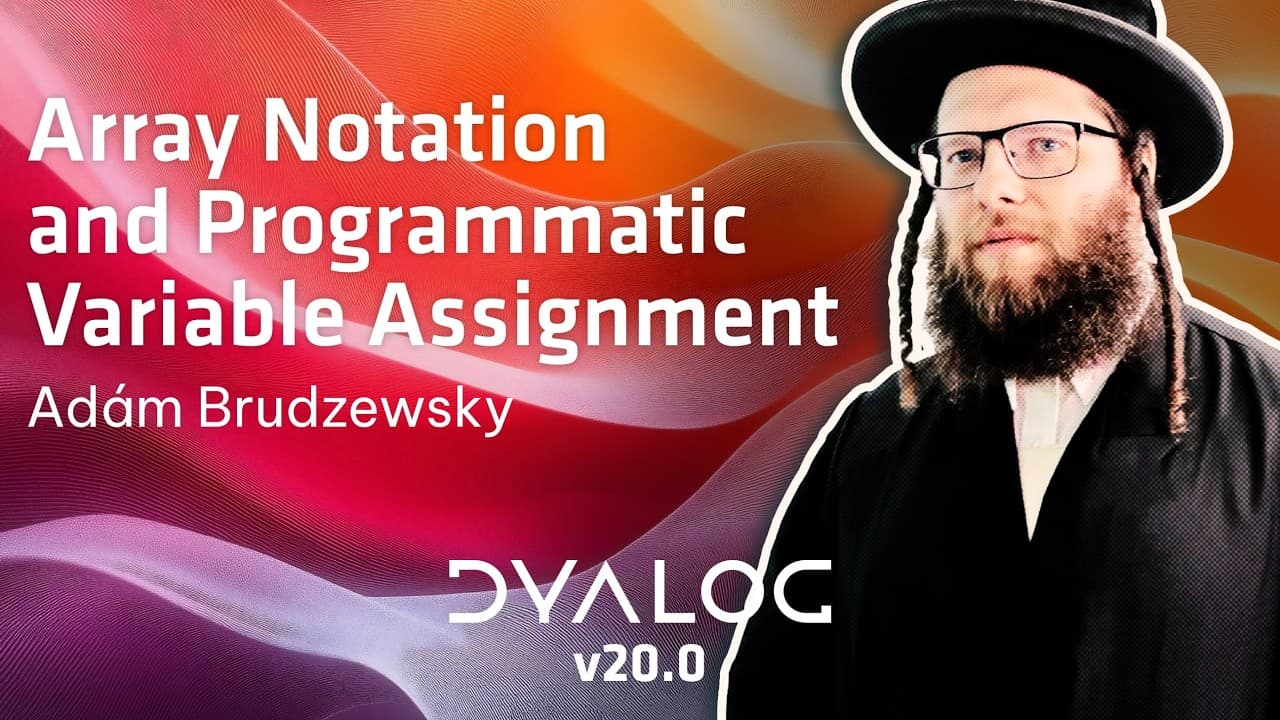
Click to load video from YouTube. This will enable YouTube tracking.
YouTube Privacy Information
Migrating an Application to Dyalog APL?
If you are considering migrating to Dyalog from a different APL, there are tools and resources available to help you. See Migrating Your APL Application to Dyalog for more information.


Add a header to begin generating the table of contents